
WordPress to code you own.

WordPress runs more of the web than anything else because it earned it, and it probably earned your site too. Here is the path from there to an agentic website: the same design, your rankings kept, and a team that ships changes by briefing its own agent.

[ Why teams move ]

The site is fine. It’s everything holding it up that’s tiring.

Almost nobody leaves WordPress because of WordPress. They leave because of the twenty-odd plugins beneath it, each one someone else’s code, each one an update that might be the one that breaks the layout. The stack was assembled honestly, a problem at a time, and none of those decisions was wrong when it was made.

What it costs shows up as a rhythm rather than an outage. Updates get deferred because the last one cost a day. Staging drifts from production until it stops being a real test. A template change waits for whoever understands the theme, and the marketing team learns to ask for less than it wants. And now a newer one: your team works with AI every day, and the website is the one place its agent can only reach in from outside.

[ Is it time? ]

Three signs your site has outgrown WordPress.

It’s time to move if:

  • Your team uses AI every day, for everything except the website.

  • Changes queue behind the one person who knows how the site is wired.

  • Updates get put off because the last one broke something.

And it’s fine to stay if you run a genuine publishing operation: an editorial team with roles and review states, a site whose value is the volume of what it publishes. WordPress is still very hard to beat at that. We’ll tell you which on the Discovery call, with the evidence from your own site.

[ The path ]

From WordPress to an agentic website, in six steps.

  1. Step 1

    Map your WordPress site.

    Discovery reads the site as it stands: every template, post type and custom field, every live URL, and an inventory of every plugin, what job it actually does and where that job lands afterwards. You leave with a roadmap that says what moves, what it becomes, and in what order.

  2. Step 2

    Rebuild the design as a system.

    What the theme and the page builder produce today is rebuilt as a component library in code, with the rules for using it written into a brand.md. The design stops living in theme settings and builder panels, and every page is checked against the live one, side by side.

  3. Step 3

    Move the content into your repository.

    Posts, pages, categories and custom fields become structured content files. Anything laid out in a page builder is mapped onto the new components rather than carried across as shortcodes, and the media library is moved and re-referenced. From here your content sits next to the code, where your agent can read all of it.

  4. Step 4

    Add the rails and the machine layer.

    The guardrails and skills your agent will run on go in: what it may touch, how a page gets built, what gets checked before anything ships. The jobs your SEO plugin was doing, metadata, structured data, schemas and the sitemap, become part of the site itself, with llms.txt alongside.

  5. Step 5

    Switch over, with a net.

    The redirects go live with the switch, covering old permalink structures and the tag, author and date archives WordPress generated over the years. Your WordPress site keeps running untouched until the new one takes over, and the hosting and licences aren’t cancelled until you’ve watched the new site run.

  6. Step 6

    Take the keys.

    Your team connects the agent it already uses and ships its first supervised changes in the first week of handover: a real page, a real edit, with us in the room. There’s no admin login to hand out and no update waiting for someone brave enough to run it.

[ Piece by piece ]

What each part of your WordPress site becomes.

On WordPress On an agentic website
[ 01/ Design ] A theme and a page builder’s layouts A component library and a brand.md your agent builds against
[ 02/ Content ] Posts, pages and custom fields in the WordPress database Structured content files in your repository. The repo is the CMS
[ 03/ Media ] The media library and the uploads folder Images moved across, re-referenced, and served fast from the new site
[ 04/ SEO ] An SEO plugin and its settings Metadata, structured data, schemas and a clean sitemap, built into the site
[ 05/ Forms ] A forms plugin Rebuilt and pointed at your CRM or form handler
[ 06/ URLs and rankings ] Years of permalink changes and archive pages Every URL redirected, metadata carried over, rankings watched through cutover
[ 07/ Security and updates ] Caching and security plugins, and an update queue No admin login to protect and no plugins to update
[ 08/ Making a change ] Ask who still understands the theme Brief the agent, check the preview, approve it
[ 09/ When something goes wrong ] Roll back the update and hope staging matched A broken layout fails before it ships, and any change can be undone

[ The agent layer ]

On WordPress, your agent can write the post. It can’t safely change the site.

An agent can do more on WordPress than it used to. There are AI assistants inside the editor, and connectors that let an outside agent draft, create and update posts and pages. That covers content. The site itself is another matter: the theme, the page builder’s layouts, the plugins and how they interact are a live stack the agent can’t see whole, can’t run, and can’t check its own work against before it ships.

On an agentic website the site is plain, structured files in your repository, so the agent your team already uses, Claude, Claude Code, ChatGPT, Gemini, Cursor, Codex, reads all of it and changes any of it. It builds inside your encoded brand and our rails, and the change arrives on a preview. The AI proposes, you approve what ships. A new campaign page becomes a brief, not a ticket, and adding ten marketers doesn’t add to the cost of shipping.

[ Where you land ]

An agentic website: yours, and run by your team.

An agentic website is a marketing site whose code and content live in your repository, and whose day-to-day changes are made by your agent inside encoded brand and design rules, with a person approving every change before it goes live.

  • The keys.

    Code and content in your GitHub repository, under your name, from the first commit.

  • Your agent ships it.

    Your team briefs the change in plain language and it lands on a preview. The AI proposes, you approve what ships.

  • Your brand, encoded.

    A brand.md in the codebase, so every change, from anyone, is made against your rules.

  • Our standards, baked into the rails.

    More than a decade of design and development standards, checked before anything ships.

  • The machine layer.

    Structured data, schemas, llms.txt and a clean sitemap, so the AI systems answering your buyers can read and cite your site.

  • The handover.

    Playbooks and paired working, until your team runs the site themselves.

[ Recent work ]

Built for SaaS teams like yours.

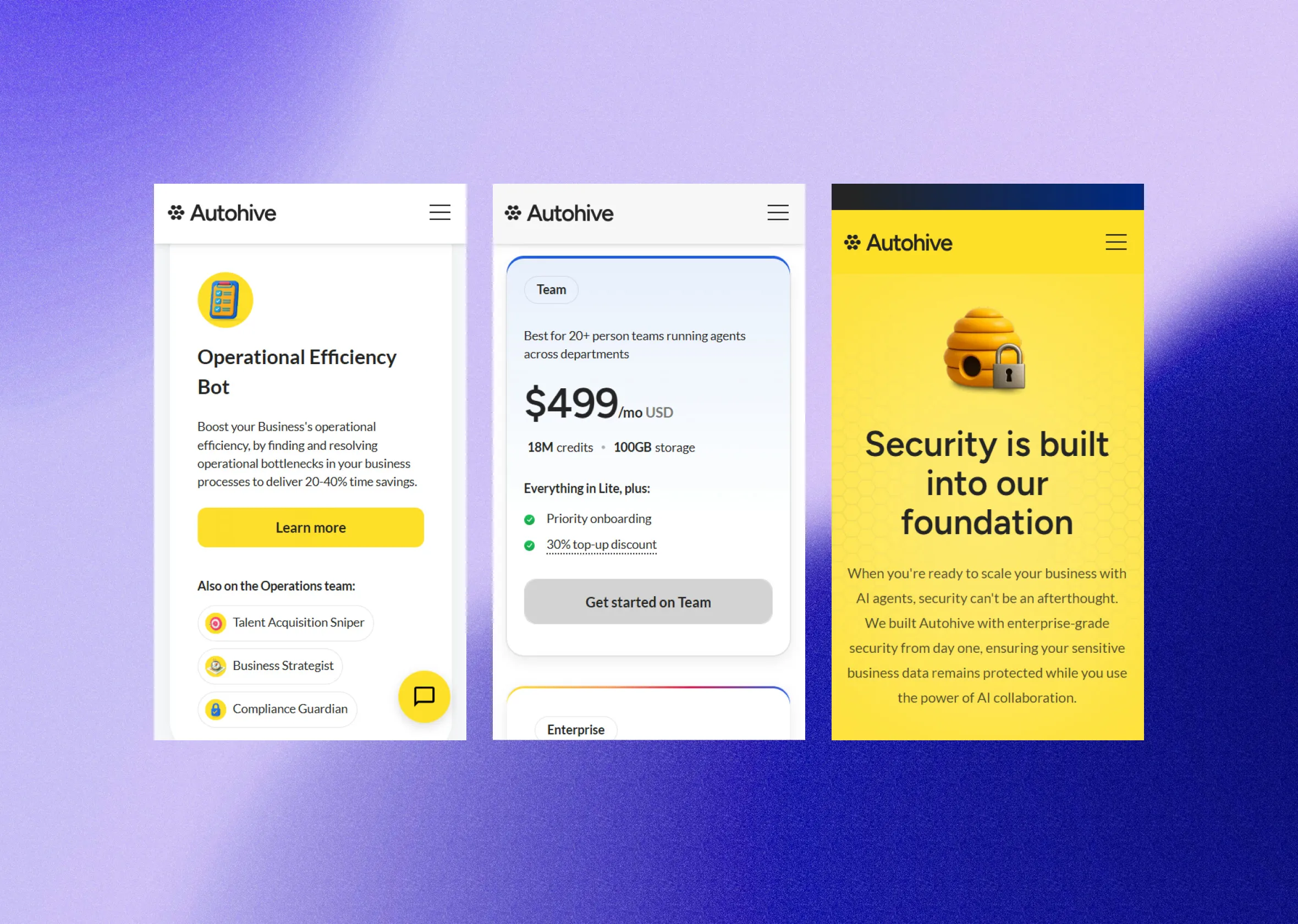
  • Three Autohive app screens on a violet gradient: an efficiency bot, a plan, and the security page. Autohive: a website that keeps pace with their marketing teamAn AI-agent company's first website, built on a component framework their designers, marketers and agents could all work in, so their marketing team builds its own landing pages and updates without waiting on anyone.Read more
  • The FMW mark on a blue and violet blur. Future of Marketing Work: a brand and website for a three-way eventAn Auckland event on how marketers adapt to digital transformation and AI, brought together by a university, the AI community and an events group. We made the brand, the website and the print.Read more
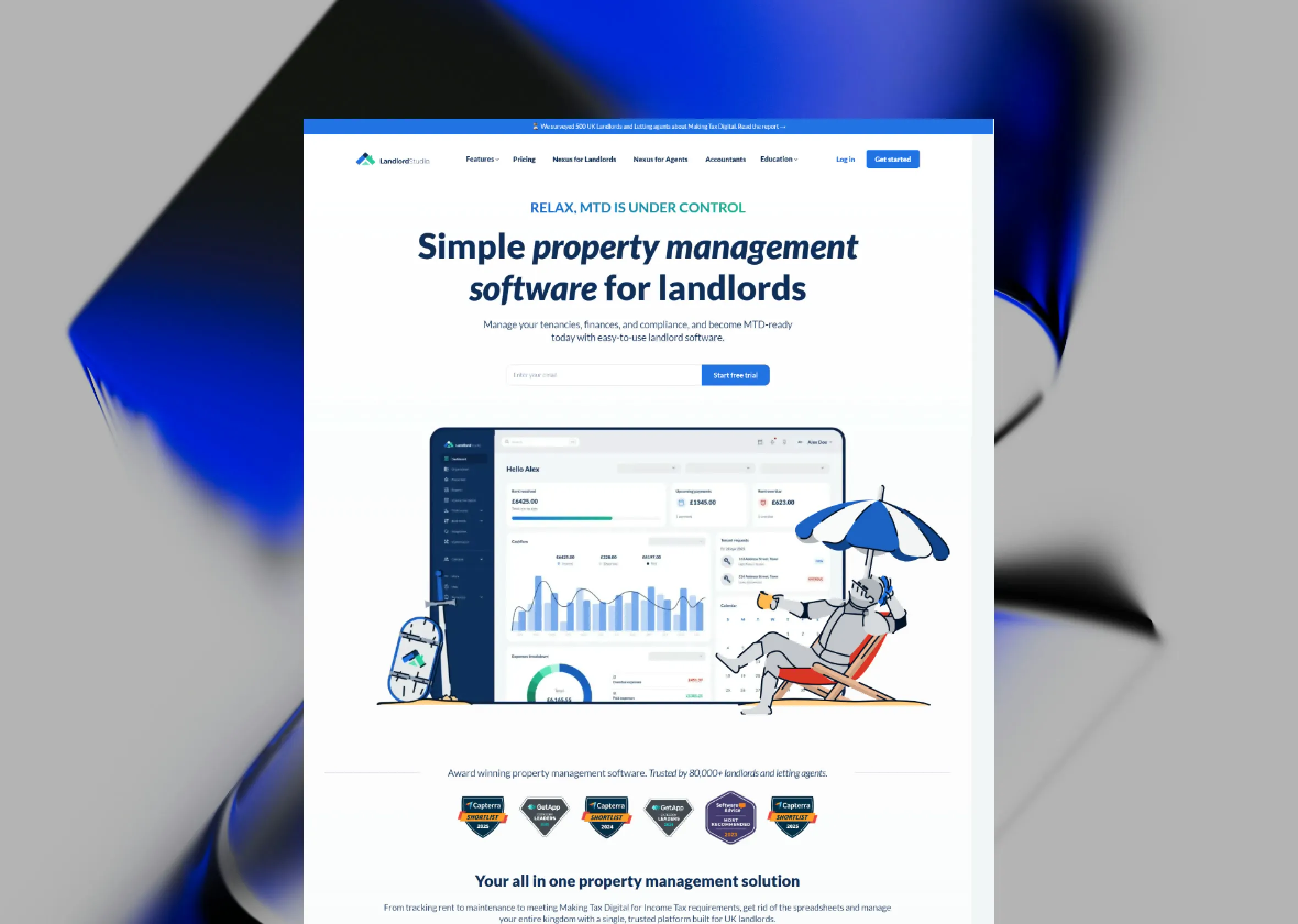
  • The Landlord Studio home page: "Simple property management software for landlords." Landlord Studio: one system for two markets, run by their marketing teamProperty management software for landlords in the US and UK. A five-year-old Webflow build redesigned, migrated onto a component-driven framework, and handed to a marketing team that now builds its own pages with AI.Read more

[ Questions we hear most ]

The honest answers.

Rheed MacPherson, founder of Signal Studio

Can’t find your answer?

Book a Discovery call and ask us directly.

Book a Discovery call
Will we lose our rankings moving off WordPress?

A migration is built to keep them. Every live URL is mapped to its destination before anything moves, metadata travels with it, and rankings are watched through cutover so anything that shifts is caught and fixed. WordPress sites carry a lot of URL history, so the map is built from your live sitemap and your search data rather than from assumptions.

How long does a WordPress migration take?

The roadmap sets the timeline. It depends on the number of templates more than the number of pages. What stays fixed is the cadence: something visible ships every fortnight, from the first fortnight, on a live preview.

What happens to our plugins?

Each one gets read as a job rather than a thing to port. Forms, SEO metadata, redirects, sitemaps and analytics are all part of the build on the other side, so most of the stack simply stops being needed. Anything genuinely bespoke is rebuilt deliberately, and the rest is documented as it’s retired, so nobody wonders later what it did.

WordPress has AI plugins and assistants now. Isn’t that enough?

For writing and editing content, they help. The difference is reach. On WordPress an agent can work on posts and pages; the theme, the layouts and the plugins underneath stay out of safe reach. On code you own it works on the site itself: it can see all of it, run it, and check its own work before anything reaches a preview. If your team wants the agent doing the legwork across the whole site, that’s the case for moving.

Can our team still make changes ourselves?

More than before. Anyone on your team describes the change in plain language, the same way they’d brief a designer. The agent builds it inside your encoded design rules and it arrives as a preview for someone to approve. Nobody writes code or opens a terminal, and nothing ships without a person saying yes.

What’s the alternative to WordPress for a marketing team?

The usual answers are a site builder like Webflow, or keeping WordPress as a headless CMS behind a new front end. The first swaps the plugin stack for a platform’s limits; the second keeps the stack and adds a second system. The third option is to own a simpler site: code in your own repository, with your team’s agent making the changes inside rules we set, and a person approving each one. That’s an agentic website , and a migration is how most teams get there.

Can we keep WordPress for the blog?

You can, and it’s sometimes the right first phase: the marketing pages move, and a large blog archive follows once its redirects are proven. As a permanent setup it means two systems to run and two places for the design to drift, so we’d usually bring the blog across too. If the reason is that your writers want an editor, a headless CMS website gives them one on the same foundation.

Our site is built in a page builder. Does that make it harder?

It changes one step. A page builder stores your layouts in its own format, so that content isn’t carried across as it is. It’s mapped onto the new component library, page by page, and checked against the live site. The design comes through the same; what’s left behind is the builder.

Rheed MacPherson, founder of Signal Studio

Can’t find your answer?

Book a Discovery call and ask us directly.

Book a Discovery call
Signal Studio
Book a Discovery call
WORDPRESS.MD WORDPRESS

# WordPress to code you own


Tired of plugins and deferred updates? Move your WordPress marketing site onto code you own, with rankings protected and your team's AI agent making changes.


## WordPress to code you own.


WordPress runs more of the web than anything else because it earned it, and it probably earned your site too. Here is the path from there to an agentic website: the same design, your rankings kept, and a team that ships changes by briefing its own agent.


- [Book a Discovery call](/contact/)

// Why teams move

## The site is fine. It’s everything holding it up that’s tiring.


Almost nobody leaves WordPress because of WordPress. They leave because of the twenty-odd plugins beneath it, each one someone else’s code, each one an update that might be the one that breaks the layout. The stack was assembled honestly, a problem at a time, and none of those decisions was wrong when it was made.

What it costs shows up as a rhythm rather than an outage. Updates get deferred because the last one cost a day. Staging drifts from production until it stops being a real test. A template change waits for whoever understands the theme, and the marketing team learns to ask for less than it wants. And now a newer one: your team works with AI every day, and the website is the one place its agent can only reach in from outside.


// Is it time?

## Three signs your site has outgrown WordPress.


It’s time to move if:


And it’s fine to stay if you run a genuine publishing operation: an editorial team with roles and review states, a site whose value is the volume of what it publishes. WordPress is still very hard to beat at that. We’ll tell you which on the Discovery call, with the evidence from your own site.


- Your team uses AI every day, for everything except the website.

- Changes queue behind the one person who knows how the site is wired.

- Updates get put off because the last one broke something.


// The path

## From WordPress to an agentic website, in six steps.


- Map your WordPress site.

Discovery reads the site as it stands: every template, post type and custom field, every live URL, and an inventory of every plugin, what job it actually does and where that job lands afterwards. You leave with a roadmap that says what moves, what it becomes, and in what order.


- Rebuild the design as a system.

What the theme and the page builder produce today is rebuilt as a component library in code, with the rules for using it written into a brand.md. The design stops living in theme settings and builder panels, and every page is checked against the live one, side by side.


- Move the content into your repository.

Posts, pages, categories and custom fields become structured content files. Anything laid out in a page builder is mapped onto the new components rather than carried across as shortcodes, and the media library is moved and re-referenced. From here your content sits next to the code, where your agent can read all of it.


- Add the rails and the machine layer.

The guardrails and skills your agent will run on go in: what it may touch, how a page gets built, what gets checked before anything ships. The jobs your SEO plugin was doing, metadata, structured data, schemas and the sitemap, become part of the site itself, with llms.txt alongside.


- Switch over, with a net.

The redirects go live with the switch, covering old permalink structures and the tag, author and date archives WordPress generated over the years. Your WordPress site keeps running untouched until the new one takes over, and the hosting and licences aren’t cancelled until you’ve watched the new site run.


- Take the keys.

Your team connects the agent it already uses and ships its first supervised changes in the first week of handover: a real page, a real edit, with us in the room. There’s no admin login to hand out and no update waiting for someone brave enough to run it.


// Piece by piece

## What each part of your WordPress site becomes.


- Design

A component library and a brand.md your agent builds against


A theme and a page builder’s layouts


- Content

Structured content files in your repository. The repo is the CMS


Posts, pages and custom fields in the WordPress database


- Media

Images moved across, re-referenced, and served fast from the new site


The media library and the uploads folder


- SEO

Metadata, structured data, schemas and a clean sitemap, built into the site


An SEO plugin and its settings


- Forms

Rebuilt and pointed at your CRM or form handler


A forms plugin


- URLs and rankings

Every URL redirected, metadata carried over, rankings watched through cutover


Years of permalink changes and archive pages


- Security and updates

No admin login to protect and no plugins to update


Caching and security plugins, and an update queue


- Making a change

Brief the agent, check the preview, approve it


Ask who still understands the theme


- When something goes wrong

A broken layout fails before it ships, and any change can be undone


Roll back the update and hope staging matched


- On WordPress

- On an agentic website


// The agent layer

## On WordPress, your agent can write the post. It can’t safely change the site.


An agent can do more on WordPress than it used to. There are AI assistants inside the editor, and connectors that let an outside agent draft, create and update posts and pages. That covers content. The site itself is another matter: the theme, the page builder’s layouts, the plugins and how they interact are a live stack the agent can’t see whole, can’t run, and can’t check its own work against before it ships.

On an agentic website the site is plain, structured files in your repository, so the agent your team already uses, Claude, Claude Code, ChatGPT, Gemini, Cursor, Codex, reads all of it and changes any of it. It builds inside your encoded brand and our rails, and the change arrives on a preview. The AI proposes, you approve what ships. A new campaign page becomes a brief, not a ticket, and adding ten marketers doesn’t add to the cost of shipping.


// Where you land

## An agentic website: yours, and run by your team.


An agentic website is a marketing site whose code and content live in your repository, and whose day-to-day changes are made by your agent inside encoded brand and design rules, with a person approving every change before it goes live.


- The keys.
Code and content in your GitHub repository, under your name, from the first commit.


- Your agent ships it.
Your team briefs the change in plain language and it lands on a preview. The AI proposes, you approve what ships.


- Your brand, encoded.

A brand.md in the codebase, so every change, from anyone, is made against your rules.


- Our standards, baked into the rails.

More than a decade of design and development standards, checked before anything ships.


- The machine layer.
Structured data, schemas, llms.txt and a clean sitemap, so the AI systems answering your buyers can read and cite your site.


- The handover.

Playbooks and paired working, until your team runs the site themselves.


- [What an agentic website is, in full](/services/agentic-websites/)

// Recent work

## Built for SaaS teams like yours.


- [Autohive: a website that keeps pace with their marketing team](/case-studies/autohive/)

An AI-agent company's first website, built on a component framework their designers, marketers and agents could all work in, so their marketing team builds its own landing pages and updates without waiting on anyone.


- [Future of Marketing Work: a brand and website for a three-way event](/case-studies/future-of-marketing/)

An Auckland event on how marketers adapt to digital transformation and AI, brought together by a university, the AI community and an events group. We made the brand, the website and the print.


- [Landlord Studio: one system for two markets, run by their marketing team](/case-studies/landlord-studio/)

Property management software for landlords in the US and UK. A five-year-old Webflow build redesigned, migrated onto a component-driven framework, and handed to a marketing team that now builds its own pages with AI.


// Questions we hear most

## The honest answers.


- Will we lose our rankings moving off WordPress?

A migration is built to keep them. Every live URL is mapped to its destination before anything moves, metadata travels with it, and rankings are watched through cutover so anything that shifts is caught and fixed. WordPress sites carry a lot of URL history, so the map is built from your live sitemap and your search data rather than from assumptions.


- How long does a WordPress migration take?

The roadmap sets the timeline. It depends on the number of templates more than the number of pages. What stays fixed is the cadence: something visible ships every fortnight, from the first fortnight, on a live preview.


- What happens to our plugins?

Each one gets read as a job rather than a thing to port. Forms, SEO metadata, redirects, sitemaps and analytics are all part of the build on the other side, so most of the stack simply stops being needed. Anything genuinely bespoke is rebuilt deliberately, and the rest is documented as it’s retired, so nobody wonders later what it did.


- WordPress has AI plugins and assistants now. Isn’t that enough?

For writing and editing content, they help. The difference is reach. On WordPress an agent can work on posts and pages; the theme, the layouts and the plugins underneath stay out of safe reach. On code you own it works on the site itself: it can see all of it, run it, and check its own work before anything reaches a preview. If your team wants the agent doing the legwork across the whole site, that’s the case for moving.


- Can our team still make changes ourselves?

More than before. Anyone on your team describes the change in plain language, the same way they’d brief a designer. The agent builds it inside your encoded design rules and it arrives as a preview for someone to approve. Nobody writes code or opens a terminal, and nothing ships without a person saying yes.


- What’s the alternative to WordPress for a marketing team?

The usual answers are a site builder like Webflow, or keeping WordPress as a headless CMS behind a new front end. The first swaps the plugin stack for a platform’s limits; the second keeps the stack and adds a second system. The third option is to own a simpler site: code in your own repository, with your team’s agent making the changes inside rules we set, and a person approving each one. That’s an [agentic website](/services/agentic-websites/), and a migration is how most teams get there.


- Can we keep WordPress for the blog?

You can, and it’s sometimes the right first phase: the marketing pages move, and a large blog archive follows once its redirects are proven. As a permanent setup it means two systems to run and two places for the design to drift, so we’d usually bring the blog across too. If the reason is that your writers want an editor, a [headless CMS website](/services/headless-cms/) gives them one on the same foundation.


- Our site is built in a page builder. Does that make it harder?

It changes one step. A page builder stores your layouts in its own format, so that content isn’t carried across as it is. It’s mapped onto the new component library, page by page, and checked against the live site. The design comes through the same; what’s left behind is the builder.


- Can’t find your answer?

Book a Discovery call and ask us directly.

- [Book a Discovery call](/contact/)

Or email hello@signalstudio.co.nz